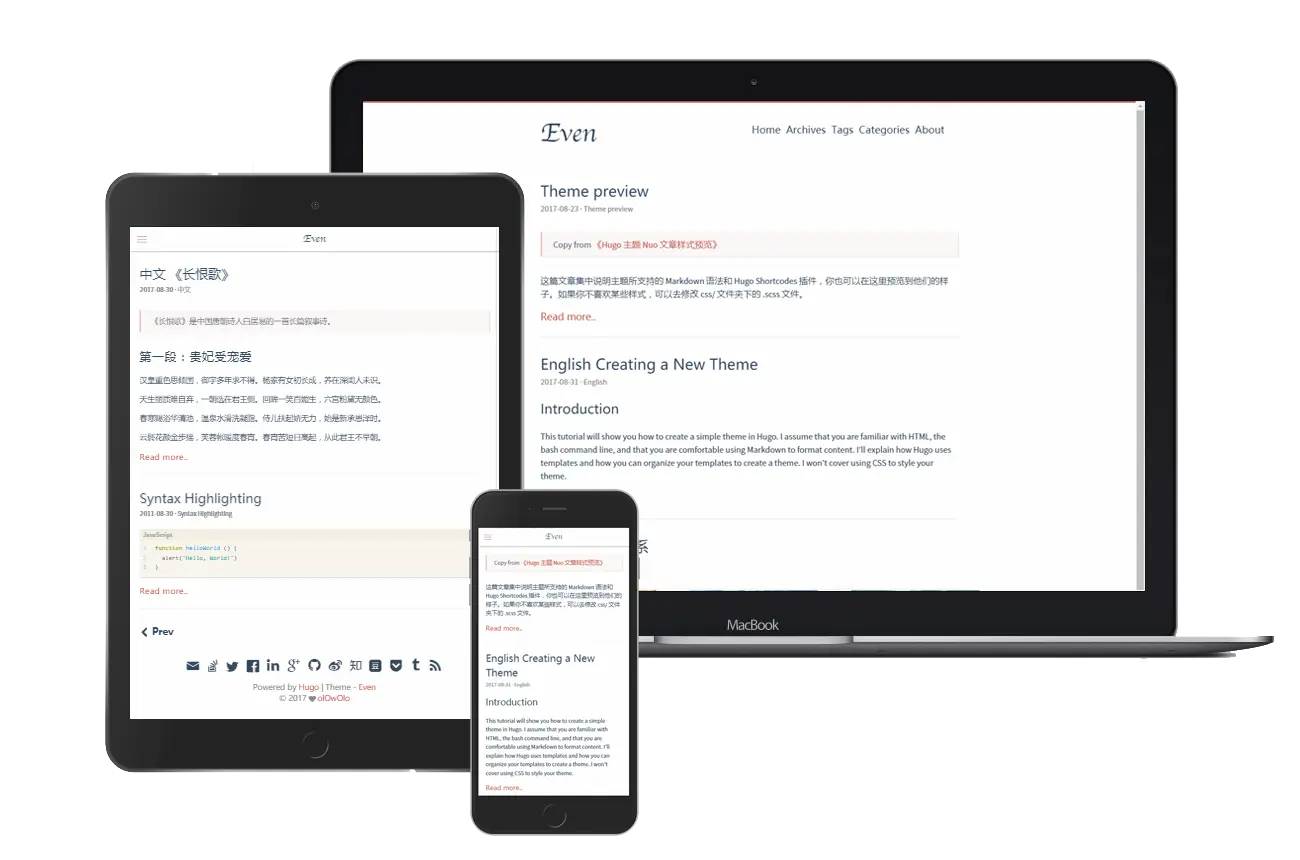
By default, the theme even doesn’t support the search and copy to the clipboard button which is proposed in issues#289 and issues#399. So I have finished implementing the features.
1. Search#
Initially, you should add the output of JSON in your ./config.toml file.
1
2
| [outputs]
home = ["HTML", "RSS", "JSON"]
|
Then create the file ./themes/even/layouts/_default/index.json and add these lines. Then make sure you can see the output in the localhost:1313/index.json.
 1
 2
 3
 4
 5
 6
 7
 8
 9
10
11
12
13
14
| {{- $.Scratch.Add "index" slice -}}
{{- range $index, $element := .Site.RegularPages.ByTitle -}}
{{if ne .Params.tags nil}}{{if ne .Plain nil}}
{{- $.Scratch.Add "index" (dict
"id" $index
"date" .Date
"tags" .Params.tags
"categories" .Params.categories
"title" .Title
"permalink" .Permalink
"contents" .Plain ) -}}
{{end}}{{end}}
{{- end -}}
{{- $.Scratch.Get "index" | jsonify -}}
|
And add file ./themes/even/static/js/search.js. I have stored the search object so just need to load the file one time once you enter the search page.
 1
 2
 3
 4
 5
 6
 7
 8
 9
10
11
12
13
14
15
16
17
18
19
20
21
22
23
24
25
26
27
28
29
30
31
32
33
34
35
36
37
38
39
40
41
42
43
44
45
46
47
48
49
50
51
52
53
54
55
56
57
58
59
60
61
62
63
64
65
66
67
68
69
70
71
72
73
74
75
76
77
78
79
80
81
82
83
84
85
86
87
88
89
90
91
92
93
94
95
96
97
98
99
| const summaryInclude = 100;
let fuseOptions = {
includeMatches: true,
threshold: 0.1,
tokenize: true,
location: 0,
distance: 100000,
maxPatternLength: 32,
minMatchCharLength: 1,
keys: [
{name: "title", weight: 0.9},
{name: "contents", weight: 0.8},
{name: "tags", weight: 0.3},
{name: "categories", weight: 0.3}
]
};
let fuse;
fetch("../index.json")
.then(resp => resp.json())
.then(data => fuse = new Fuse(data, fuseOptions));
let searchContent = "";
async function executeSearch() {
searchContent = $('#search-content')[0].value;
let results = fuse.search(searchContent);
await populateResults(results);
}
function highlight(str) {
return str.replace(
new RegExp(searchContent, 'gi'),
searchContent => `<strong><span style="background-color:yellow;">${searchContent}</span></strong>`
);
}
async function populateResults(result){
$('#search-results').html('');
$.each(result, function(key, value) {
let contents = value.item.contents;
let snippet = "", start = 0, end = 0;
let pos = contents.toLocaleLowerCase().indexOf(searchContent.toLocaleLowerCase());
if (pos != -1) {
start = pos - summaryInclude;
end = pos + summaryInclude;
if (start < 0) start = 0;
if (end > contents.length) end = contents.length;
snippet = contents.substring(start, end);
}
$.each(value.matches,function(k, v) {
start = v.indices[0][0] - summaryInclude;
end = v.indices[0][1] + summaryInclude + 1;
if (start < 0) start = 0;
if (end > v.value.length) end = v.value.length;
if (pos == -1 && v.key == "contents") {
snippet += v.value.substring(start, end);
}
});
if(snippet.length < 1){
snippet += contents.substring(0, summaryInclude * 2);
}
let tags = [];
value.item.tags.forEach(t => tags.push(highlight(t)));
let categories = [];
value.item.categories.forEach(c => categories.push(highlight(c)));
let template = `
<div id="summary-${key}">
<article style="padding: 0px" class="post">
<header class="post-header">
<h1 class="post-title"><a style="color:black" class="post-link" href="${value.item.permalink}">${highlight(value.item.title)}</a></h1>
<div class="post-meta">
<span class="post-time">${value.item.date}</span>
<div class="post-category"><a href="/categories/${value.item.categories}/"> ${categories} </a></div>
</div>
</header>
<div class="post-content">
<div class="post-summary">
${highlight(snippet)}
<a href="${value.item.permalink}" class="read-more-link">Read more...</a>
</div>
<footer class="post-footer">
<div class="post-tags">
<a href="/tags/${value.item.tags}">${tags}</a>
</div>
</footer>
</div>
</article>
</div>`;
$('#search-results').append(template);
});
}
|
And then just add the search page in your ./content/post/search.md. Although it’s not recommended to add the script tag in the middle of your markdown file, it is easy to implement the style that we expected.
 1
 2
 3
 4
 5
 6
 7
 8
 9
10
11
12
13
14
15
16
17
18
19
20
21
| ---
title: "Search"
layout: "search"
priority : 1
menu: "main"
weight: 5
---
<script src="https://cdn.jsdelivr.net/npm/fuse.js@6.6.2"></script>
<script src="/js/search.js"></script>
<section id="search-input">
<input style="display: center"
id="search-content"
placeholder="Search text"
type="search"
oninput="executeSearch()"> 🔍
</section>
<hr>
<section id="search-results">
<h3>Please input some keywords to search</h3>
</section>
|
2. Copy to clipboard#
I just add these lines to the end of ./themes/even/layouts/partials/scripts.html.
 1
 2
 3
 4
 5
 6
 7
 8
 9
10
11
12
13
14
15
16
17
18
19
20
21
22
23
24
25
26
27
28
29
30
31
32
33
34
35
36
37
38
39
40
41
42
43
44
45
46
47
48
| <script>
function createCopyButton(highlightDiv) {
const div = document.createElement("div");
div.className = "copy-code";
div.innerText = "Copy";
div.addEventListener("click", () =>
copyCodeToClipboard(div, highlightDiv)
);
addCopyButtonToDom(div, highlightDiv);
}
async function copyCodeToClipboard(button, highlightDiv) {
const codeToCopy = highlightDiv.querySelector(":last-child > .chroma > code")
.innerText;
try {
result = await navigator.permissions.query({ name: "clipboard-write" });
if (result.state == "granted" || result.state == "prompt") {
await navigator.clipboard.writeText(codeToCopy);
} else {
copyCodeBlockExecCommand(codeToCopy, highlightDiv);
}
} catch (_) {
copyCodeBlockExecCommand(codeToCopy, highlightDiv);
} finally {
codeWasCopied(button);
}
}
function codeWasCopied(div) {
div.blur();
div.innerText = "Copied!";
setTimeout(function () {
div.innerText = "Copy";
}, 2000);
}
function addCopyButtonToDom(button, highlightDiv) {
highlightDiv.insertBefore(button, highlightDiv.firstChild);
const wrapper = document.createElement("div");
wrapper.className = "highlight-wrapper";
highlightDiv.parentNode.insertBefore(wrapper, highlightDiv);
wrapper.appendChild(highlightDiv);
}
document.querySelectorAll(".highlight")
.forEach((highlightDiv) => createCopyButton(highlightDiv));
</script>
|
And modify the ./themes/even/assets/sass/_partial/_post/_code.sass file, add these lines. I think it is a good idea to make the theme style the same as the type on the left of the code block.
 1
 2
 3
 4
 5
 6
 7
 8
 9
10
11
12
| .copy-code {
position: absolute;
right: 0;
z-index: 2;
font-size: .9em !important;
padding: 0px 1.5rem !important;
color: #b1b1b1;
font-family: Arial;
font-weight: bold;
cursor: pointer;
user-select: none;
}
|